Teaching Kids Coding Without a Computer: 7 Unplugged Activities
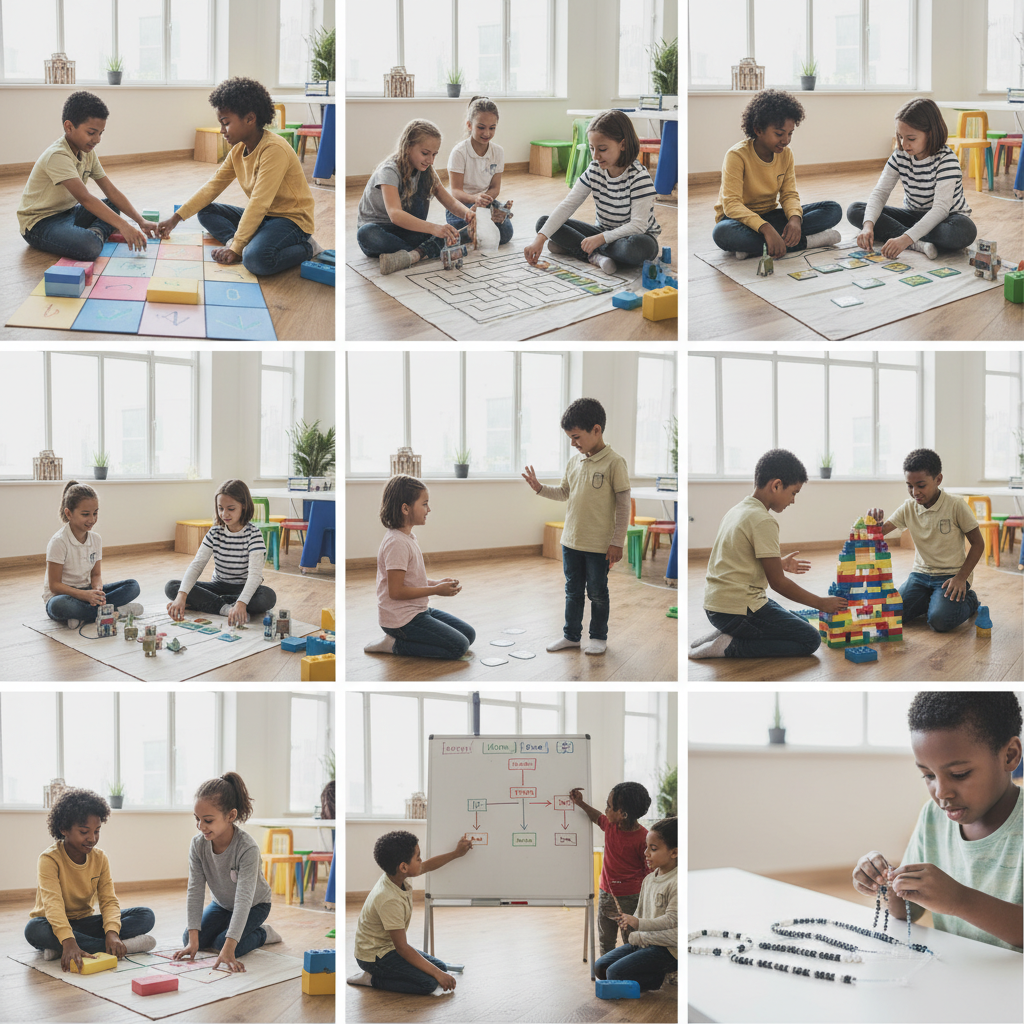
You do not need a screen to teach kids coding without a computer. Computational thinking, the foundation of all programming, can be developed through hands-on, unplugged activities that children find engaging and fun. These seven activities teach the core concepts behind coding, including sequences, loops, conditionals, and debugging, using nothing more than everyday materials.
Why Unplugged Coding Matters
The Computer Science Teachers Association recommends introducing computational thinking before screen-based coding. When children understand concepts like sequencing and conditionals through physical activities, they transfer these skills more effectively to actual programming later. Dr. Marina Bers of Tufts University, whose research focuses on coding in early childhood, notes that "the most effective introduction to coding happens away from keyboards, through activities that make abstract concepts concrete."
7 Unplugged Coding Activities
1. Human Robot Game
One child plays the "robot" while another gives step-by-step instructions (code) to navigate from point A to point B. The robot follows instructions literally. If the programmer says "walk forward" without specifying how many steps, the robot walks until told to stop. This teaches precise instruction writing, the essence of programming.
Concepts taught: Sequential instructions, precision in communication, debugging when the robot does something unexpected.
Ages: 4 and up. Materials: Tape for marking start and end points on the floor.
2. Algorithm Sandwich Making
Ask your child to write step-by-step instructions for making a sandwich. Then follow their instructions exactly as written, interpreting them as literally as a computer would. If they say "put peanut butter on bread" without saying "open the jar first," place the closed jar on the bread. The laughter and frustration teach why precise algorithms matter.
Concepts taught: Algorithms, sequential logic, the importance of completeness in instructions.
Ages: 5 and up. Materials: Bread, spreads, and a willingness to make a mess.
3. Paper Cup Stacking Challenge
Create a target structure using paper cups (a pyramid, tower, or pattern), then have your child write coded instructions using symbols they invent (arrows for direction, numbers for cup count) that would allow someone else to recreate the structure without seeing the original. Exchange instructions with a sibling or friend and try to build each other's designs.
Concepts taught: Abstraction, creating and interpreting instructions, symbolic representation.
Ages: 6 and up. Materials: Paper cups, index cards, markers.
4. If-Then Treasure Hunt
Create a treasure hunt where clues use conditional logic. Each clue card reads: "IF you find a blue object, THEN go to the kitchen. ELSE go to the living room." Children follow the conditional paths to find the treasure. Add nested conditions for older children: "IF the object is blue AND round, THEN look under the table."
Concepts taught: Conditional statements (if/then/else), Boolean logic, nested conditions.
Ages: 5 and up. Materials: Index cards, a small treasure or treat.
5. Dance Loop Choreography
Teach the concept of loops by creating dance routines with repeated sections. Write a simple sequence: clap, stomp, spin. Then introduce the loop concept: "Repeat 3 times: clap, stomp, spin." Children physically execute the loop, feeling how repetition works in their bodies. Progress to nested loops: "Repeat 2 times: (clap 3 times, spin once)."
Concepts taught: Loops, nested loops, repetition, efficiency in instructions.
Ages: 4 and up. Materials: Music (optional), written instruction cards.
6. Bug Hunt Debugging Game
Write a set of instructions with intentional mistakes. For example, instructions to draw a house might include "draw a circle for the roof" instead of a triangle. Children must find and fix the "bugs" in the code. This directly mirrors the debugging process that programmers use daily.
Concepts taught: Debugging, error identification, critical analysis of instructions.
Ages: 6 and up. Materials: Written instruction sets with intentional errors, paper and pencils.
7. Binary Necklace Craft
Teach binary code using two colors of beads. Assign each letter a binary number (A equals 01000001 in ASCII), then have children create necklaces that spell their names in binary using light and dark beads. This introduces the concept that computers store all information as sequences of zeros and ones.
Concepts taught: Binary representation, data encoding, how computers store information.
Ages: 7 and up. Materials: Two colors of beads, string, a binary-to-letter conversion chart.
Tips for Parents
Start with the simplest activities and progress based on your child's engagement and understanding. Make mistakes fun rather than frustrating, as errors are learning opportunities in both coding and life. Connect unplugged activities to real technology by pointing out how the same concepts appear in apps, games, and websites your child uses. Celebrate the thinking process, not just correct answers.
When to Transition to Screen-Based Coding
Once children demonstrate comfort with sequencing, conditionals, and loops through unplugged activities, they are ready for visual programming tools like Scratch, which is recommended for ages 8 and up. The unplugged foundation will make screen-based coding significantly easier and more intuitive.
Frequently Asked Questions
Do I need to know how to code to teach these activities?
No. These activities teach computational thinking, not specific programming languages. If you can follow and create step-by-step instructions, you can facilitate all seven activities.
How often should children practice unplugged coding?
Two to three sessions per week of 20 to 30 minutes each is sufficient for building strong foundational understanding. Consistency matters more than duration.
Are these activities effective for children who dislike technology?
Absolutely. These activities deliberately avoid screens, making them ideal for children who are not naturally drawn to technology. Many children discover they enjoy the logical thinking behind coding even if they do not enjoy using computers.
Written by
You might also like
 81
81
Best Creative Craft Kits for Kids: Art Projects They'll Actually Finish
Discover the best creative craft kits for kids that they will actually finish. From sculpting and glass painti...
Our Favorite Ways to Bring Love, Peace, and Whimsy Into Your Child's World
From imaginative play sets to calming mindfulness tools, these are our favorite picks that bring love, peace,...
Our Favorite Bring Your Love, Peace, and Whimsy! Toys and Gifts for Kids
Discover 8 whimsical toys and gifts that bring love, peace, and creative wonder into your child's world while...